Almost everything in a modern home runs on the network — TVs, cameras, doorbells, thermostats, speakers and the laptops you work from. When the Wi-Fi struggles, everything struggles. The good news: most Wi-Fi problems have the same handful of causes. Here is what we look at first.
1. Get the router out of the cabinet
The most common problem we see is a router tucked into a basement corner, a media cabinet or a closet. Wi-Fi signals weaken as they pass through floors, walls, cabinets and appliances. A device that sits in the middle of the home, up high and in the open, will cover far more space than the same device hidden away.
2. Use access points, not one big router
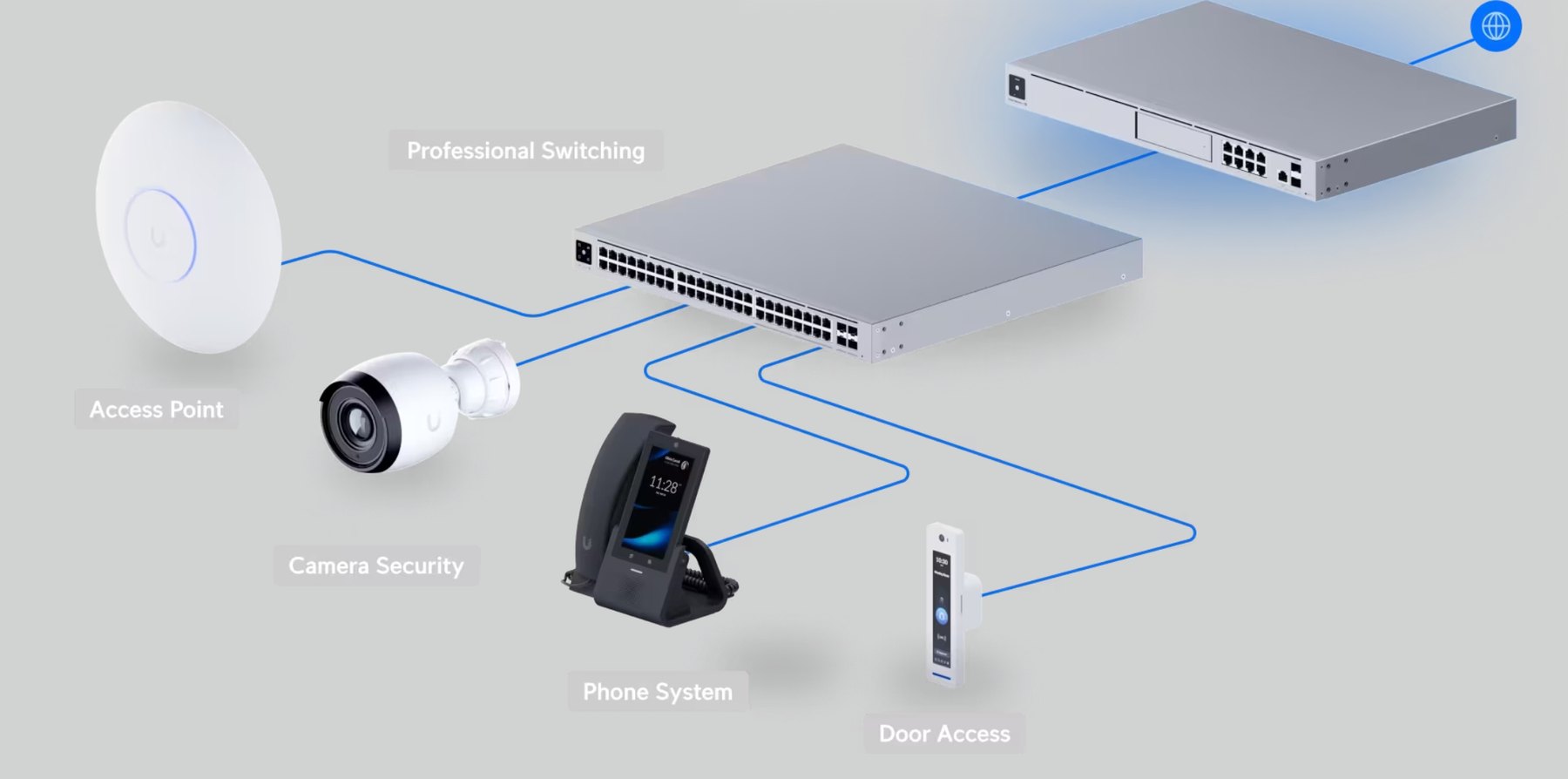
A single router — however powerful — is trying to cover the whole home from one spot. A better approach is several smaller access points, each covering its own area, all working as one network. Your phone moves from one to the next as you walk through the house, and every room gets a strong signal.
3. Wire the access points whenever you can
Mesh systems that connect wirelessly are convenient, but each wireless hop uses up some of the available speed. Connecting each access point with an Ethernet cable — often called a wired backhaul — gives every one of them the full speed of your internet connection.
Pro tip: Even if you are not ready for a full network upgrade, running a few Cat6 cables during a remodel is inexpensive and makes future upgrades much easier.
4. Plug in what does not move
Wi-Fi is shared. Every device that uses it takes a share of the available airtime. TVs, streaming boxes, game consoles and desktop computers rarely move, so connecting them by cable frees up Wi-Fi for the phones, tablets and laptops that need it.
5. Keep smart devices on their own network
Smart plugs, cameras and appliances do not need to sit on the same network as your computers. Putting them on a separate network keeps your main Wi-Fi less crowded and adds a layer of security if one of those devices is ever compromised.
6. Upgrade old equipment
Wi-Fi technology has improved a lot. Newer standards such as Wi-Fi 6E and Wi-Fi 7 add the 6 GHz band, which is less crowded and much faster at short range. If your router is more than five or six years old, newer equipment alone can make a noticeable difference.
7. Avoid two routers fighting each other
Many homes end up with an internet provider's router plus a second router or mesh system added later. That setup can cause slowdowns, dropped connections and devices that cannot find each other. The fix is to let one device handle routing and set the other to bridge mode, or replace both with a single, properly designed system.
8. Keep firmware up to date
Updates fix bugs, close security holes and often improve performance. Many modern systems update automatically. If yours does not, check for updates a few times a year.
When to call a professional
If you have tried the basics and still have dead zones, a professional design usually solves it for good. We design and install UniFi networks with wired access points placed where you actually need coverage, a separate network for smart devices, and remote monitoring so we can spot problems early.
Learn more on our Networking & Wi-Fi page, or schedule a consultation and we will take a look at your home.